You can discover business services based on network topology queries. The query is a snapshot of connections at one point in time.
Note: Application Discovery can identify the following protocols regardless of whether the default port is being used: HTTP/S, Oracle database access, MS-SQL database access, DNS, and NetFlow/SFlow.
Perform a query
You can perform a query to view a snapshot of connections (the connections at the time the query is performed). When you save a query, you create a query-based business service that appears in the Manage tab.
Note: Unlike map-based business services, query-based business services are not updated. They are a snapshot of the connections at the time the query is performed.
To perform a query:
-
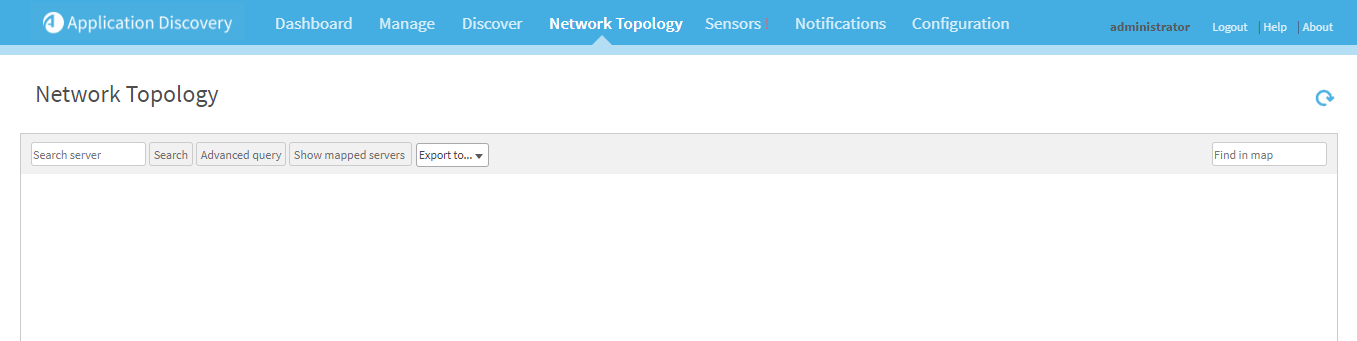
Click the Network Topology tab.
The Network Topology page appears, empty.
- Do one of the following:
- To perform a simple search, in the Search server field, enter a name or IP address of a particular server.
- To perform an advanced search, do the following:
Click Advanced Query.
Additional fields appear.

- Enter one or more of the following, in the appropriate field.
- Source server or subnet (in CIDR notation).
- Target server or subnet (in CIDR notation).
- Ports
-
Click Show.
The network topology data appears. For more details, see Manage business services.
Note: When searching for a subnet with a large number of servers, the topology screen will take time to display.
Note: By default, the maximum number of server results for a query is 500. If the query returns a higher number of servers, then only 500 will appear. For more details, see Configure Application Discovery parameters.
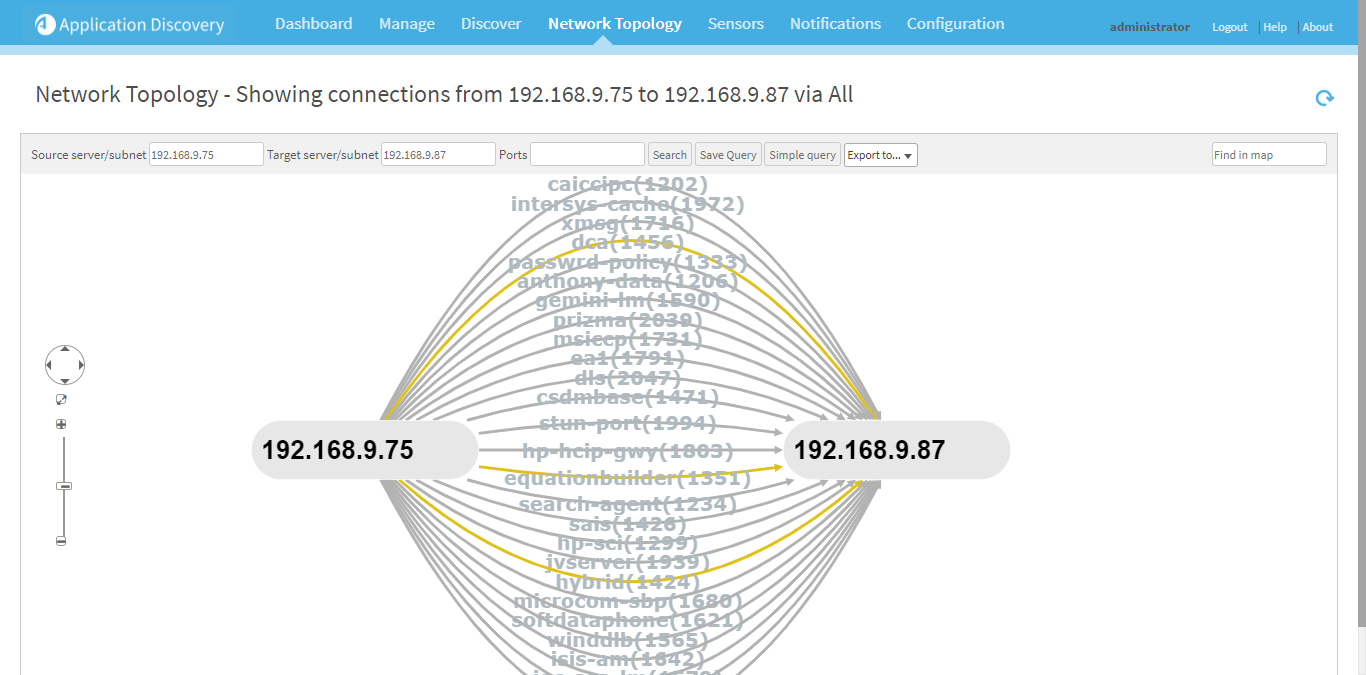
Note: To view the topology for one of the servers in the current map, click the server.
In the menu that appears, click Show Topology.
- To save the query as a business service, do the following:
Click Save Query.
The Save Query dialog is displayed.
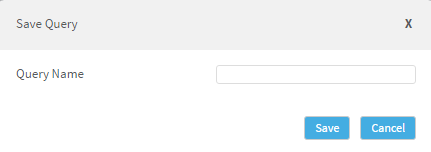
- Type a name for the query-based business service.
Click Save.
The query-based business service is created and the query will appear in the Manage tab.


 Clear your browser's cache