AlgoSec Security Management Suite offers access to many features via web services, which are APIs that can be accessed and executed over the network. Web service APIs enable you to perform remote operations in ASMS without using the product interface directly.
Web service APIs are supported via REST for AFA, FireFlow, and AppViz, and via SOAP for AFA and FireFlow. In general, REST services are more advanced and are recommended for use over SOAP.
ASMS Swagger documentation
ASMS provides a set of Swagger API documentation, available from inside ASMS.
Swagger enables you to execute API request calls and access lists of request parameters. Access the ASMS Swagger API documentation using one of the following methods:
| From inside ASMS |
From AFA, FireFlow, or AppViz, do the following:
|
| Directly from your browser |
Log in to ASMS, and navigate to https://<ASMS IP address>/algosec/swagger/swagger-ui.html. |
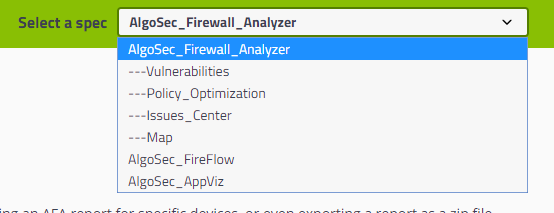
In Swagger, select the definition for the APIs you want to view from the drop-down at the top-right.
 Watch a quick tour of our Swagger here.
ASMS API Documentation reference
Both REST and SOAP APIs are also documented in the Tech Docs. For details, see:
- AFA REST web services
- AFA SOAP web services
- FireFlow REST web services
- FireFlow SOAP web services
- AppViz REST web services
Authenticating via API
Each set of APIs has it's own authentication requests.
If you are not already logged in to ASMS, make sure to use the REST or SOAP authentication APIs specific for AFA, FireFlow, or AppViz before any additional APIs. For details, see:
| AFA authentication APIs |
REST: Login and logout APIs SOAP: Managing the Session |
| FireFlow authentication APIs |
REST: Authenticating SOAP: Managing the Session |
| AppViz authentication APIs | REST: Logging In |
Device names in the ASMS APIs
ASMS API parameter names and descriptions use the following terms to refer to devices managed by ASMS:
|
The device's name, as displayed in the UI, both at the bottom level of the device tree, and in other ASMS pages and reports. This name is not necessarily unique, and is therefore not recommended for use via API. |
|
A name for the device that includes an aggregated string of the device's name and the name of any parent or grandparent devices. This name is not displayed in the ASMS UI. It must be returned from the database by API. Use the Devices Setup Resource Group (use the "name" parameter in the response):
Since this name includes the tree hierarchy, it is used as the unique system device. |
Tip: To view basic information about a firewall device, for example, to get the Device Tree Name required by APIs
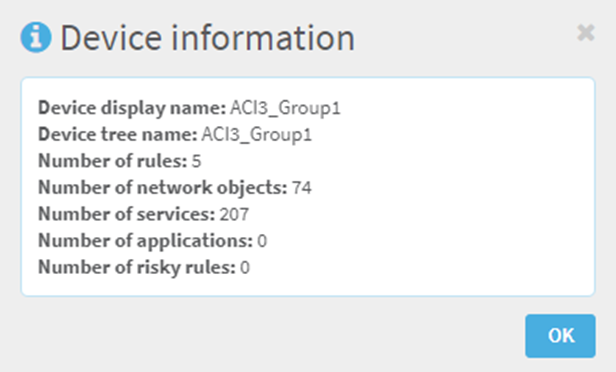
First, in AFA, select a device in the tree view. Then, type data@. You’ll get instant access to key details about that device.
API Breaking Changes and Deprecation Policies
Breaking Changes Policy
-
Removing or renaming endpoints or methods: This breaks existing clients and is avoided unless required for security reasons.
-
Enum values: New values may be added, but existing ones cannot be removed.
-
Field types: Field types should remain unchanged unless backward compatibility is fully preserved.
-
Behavior changes: Existing requests must continue to behave as before. Extensions are allowed only through new errors, status codes, or fields that do not affect prior behavior.
Deprecation policy
The following notifications are given to mitigate potential issues when APIs are deprecated. The deprecation period is 12 months.
Notice of deprecation
Notice of API deprecation are issued through the following channels at least 12 months before the proposed end of life date.
-
Swagger defines the API contract to consumers. The APIs that are being deprecated are marked with the tag deprecated.
-
The Latest features & updates page in the tech docs contains a notification about the deprecation with links to more detailed information. The information shows the API, the deprecated version, the replacement version, and the end of life date. The notification continues until the APIs reach the end of life date.


 Clear your browser's cache