Override FireFlow system defaults
Note: You can find all configuration parameters and their descriptions in the FireFlow user interface. Additionally, the FireFlow_Config.json file located under /usr/share/fireflow/local/etc/ contains detailed information about each parameter.
For more details, see FireFlow configuration parameter reference or contact AlgoSec.
Configure FireFlow parameters (UI)
You can override default system settings, including timeout settings, log file settings, the default columns displayed in search results, and more.
Note: Optionally, you can customize system default settings using the CLI. For details, see Configure FireFlow parameters (CLI) .
Do the following:
- Log into FireFlow for configuration purposes. For details, see Log in for configuration purposes.
-
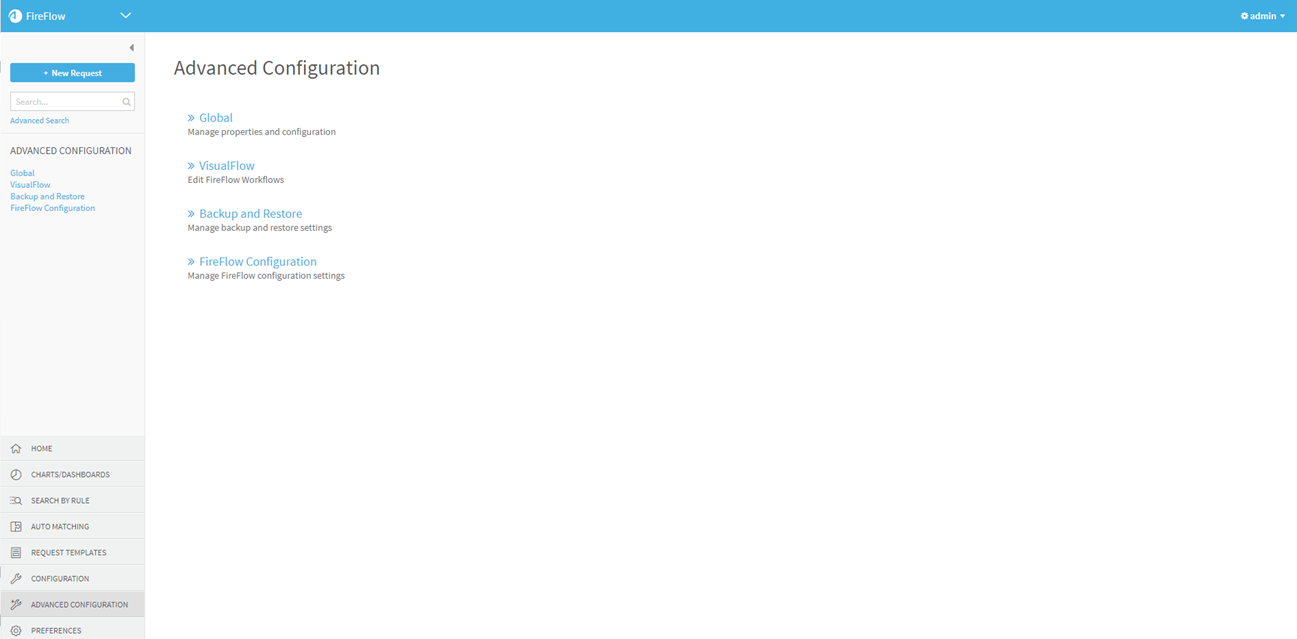
In the main menu, click Advanced Configuration.
The Advanced Configuration page is displayed.
-
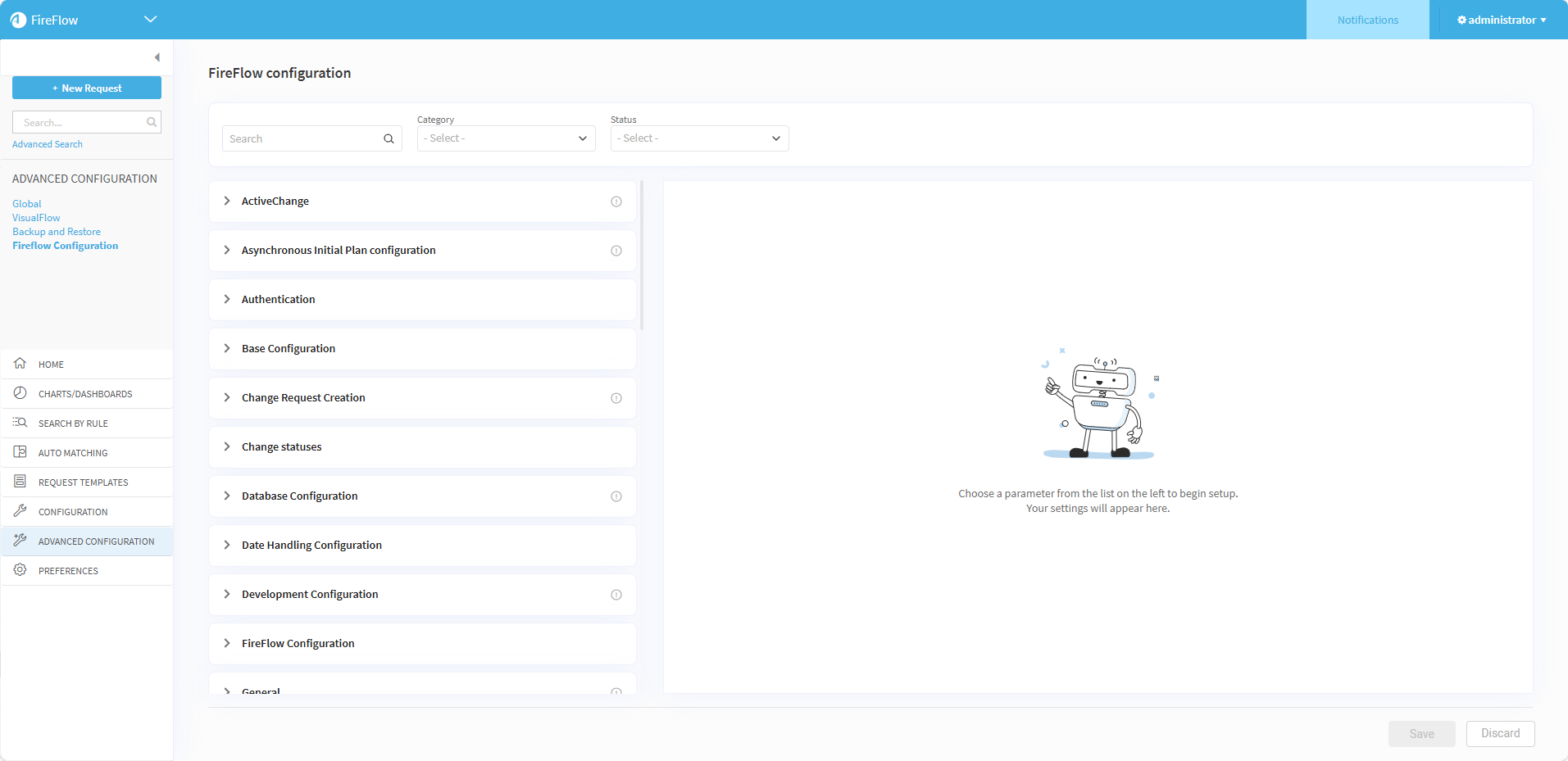
Click FireFlow Configuration.
The FireFlow Configuration page is displayed.
-
Locate the configuration parameter you want to set:
-
Use the Search field along with the Category and Status dropdowns to filter which configuration parameters and categories appear.
Note: The Status dropdown has the following possible values:
-
Enabled: Display the enabled parameters.
-
Edited: Display parameters whose enabled state or value were changed in the current UI session but not yet saved.
-
Non Default: Display parameters whose current value is different that its default value.
-
-
Click a category name to expand it and view all associated configuration parameters.
-
-
To modify the configuration parameter do one of the following:
-
Edit the current value:
-
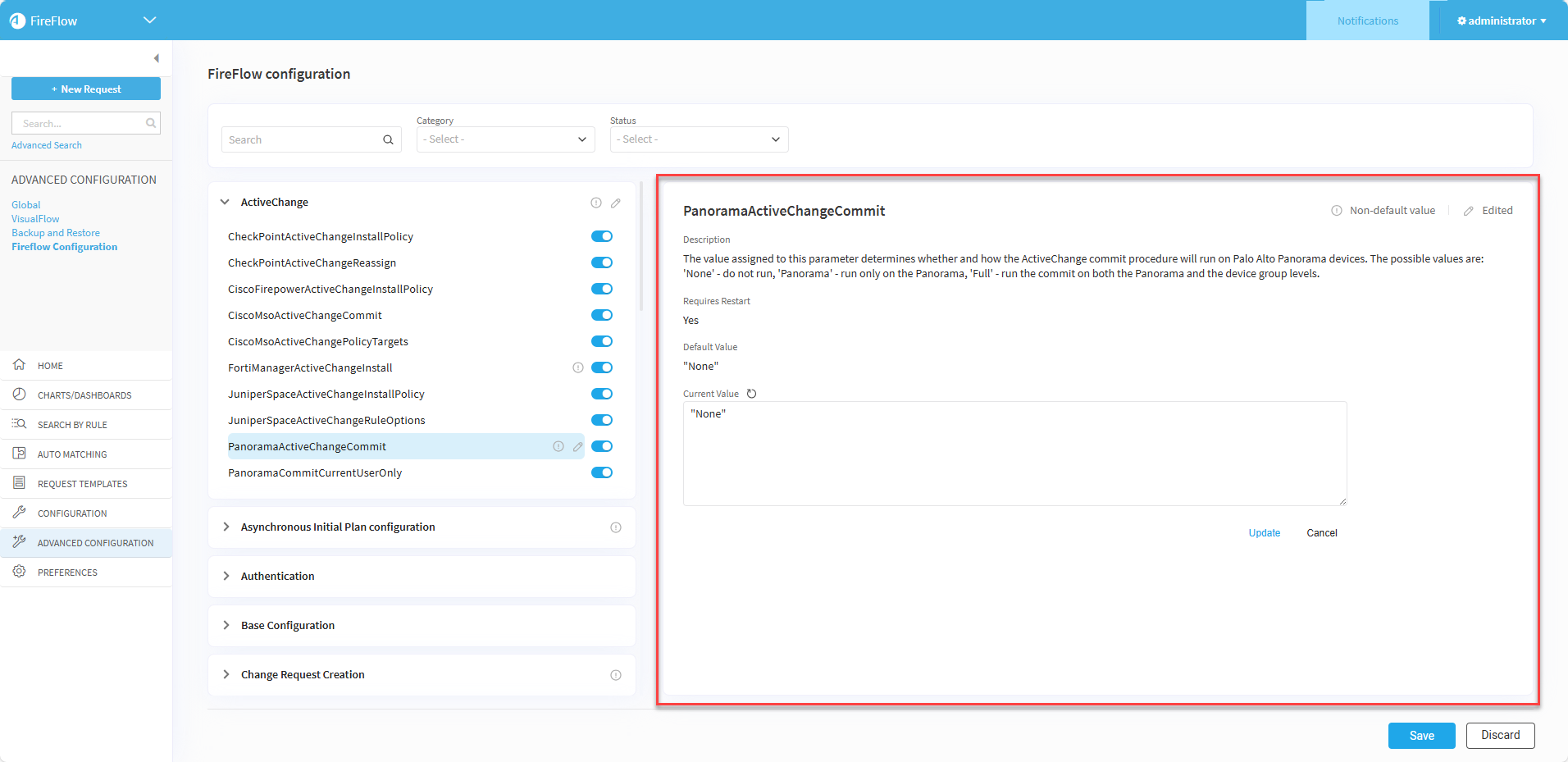
Click on a configuration parameter name from the list of parameters.
Details about the selected parameter appear in the right pane.
-
Click in the Current Value textbox and type the required value into the field.
-
Click Update.
Note: Click
 to discard the change and revert to the saved value of the parameter.
-
-
Enable or Disable the configuration parameter: Click the toggle to the right of the parameter name.
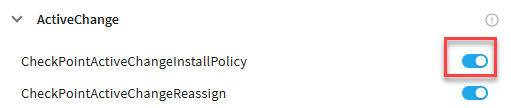
Note: When disabled, the parameter reverts to its default configuration.
Note:
-
When the value of a parameter is not the default setting,
 appears next to the parameter's name in the list of configuration parameters and also in the top right of the parameter details pane.
 -
To indicate that the parameter is changed but not yet saved,
 appears next to the parameter's name in the list of configuration parameters and also in the top right of the parameter details pane.
-
-
Click Save.
The configuration file FireFlow_Config.json is updated.
Note: When an edit to a configuration parameter requires restarting FireFlow for the changes to take effect, the Requires Restart field in the parameter details pane shows Yes. After saving the parameter changes, a popup will also remind you to restart the application.
- If necessary, restart FireFlow. For details, see Restart FireFlow.
Configure FireFlow parameters (CLI)
You can optionally override system default settings using the CLI.
Do the following:
- Log in to the FireFlow server using the username "root" and the related password.
- Under the directory /usr/share/fireflow/local/sbin/, locate FireFlow_edit_config.pl.
-
If you do not know whether the configuration parameter has been previously configured, determine this by running the following:
perl FireFlow_edit_config.pl -list -changed
All parameters with a value different than the default value are printed.
If the parameter you want to configure was printed, the parameter has been previously configured.
-
For each setting you want to override, do one of the following:
New configuration To customize a system setting that has not been previously configured, run the following:
perl FireFlow_edit_config.pl -n <parameter_name> -add <parameter_value>
where, <parameter_name> is the name of the parameter and <parameter_value> is the desired parameter value.
Update configuration To customize a system setting that has been previously configured, run the following:
perl FireFlow_edit_config.pl -n <parameter_name> -e <parameter_value>
where, <parameter_name> is the name of the parameter and <parameter_value> is the desired parameter value.
The configuration file FireFlow_Config.json is updated with the parameter's new setting.
- If necessary, restart FireFlow. For details, see Restart FireFlow.
Note: Whether restarting FireFlow is necessary is specified below each parameter in the Web Interface.


 Clear your browser's cache