Platform Inspector
The Platform Inspector is a diagnostic tool that verifies whether your ASMS environment is configured according to recommended platform configuration guidelines.
The Platform Inspector runs a series of automated validation tests across all nodes in the deployment. These tests verify system configuration, cluster settings, security parameters, and operational settings. Each test returns a ok or fail result, helping you identify configuration issues or deviations from recommended best practices.
Use the Platform Inspector in the following situations:
-
After deploying a new ASMS machine.
-
After migrating to a new ASMS machine
-
After making configuration changes such as adding geographic or distributed architectures
Note: The Platform Inspector validates the ASMS platform configuration itself. It does not inspect firewall rules or network policies managed by the system.
Run the Platform Inspector
Do the following:
-
Open a terminal and log in as root.
-
Connect to the ASMS Administration interface. For details, see Connect to and Utilize the Administration Interface.
-
Enter 17 - System Information.
-
Select 4 - Platform Inspector.
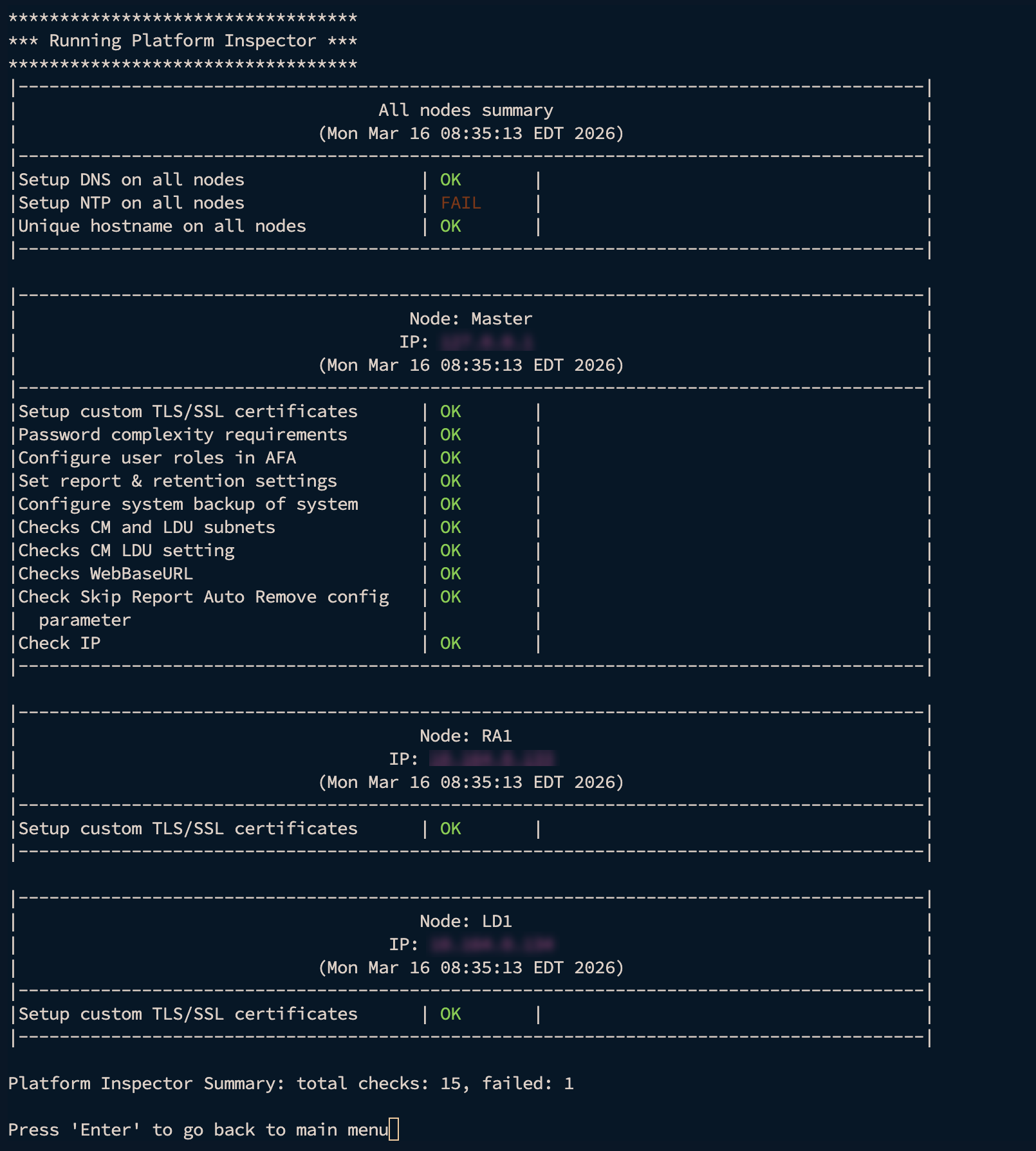
The system runs a set of validation tests and displays the results.
Platform Inspector results
When the Platform Inspector runs, it returns the results of all tests.
Each test includes:
-
An overall test result status
-
Node-level results for clustered environments
-
Messages upon failure status
These results help you identify configuration issues and verify that the deployment meets recommended platform guidelines.
Example test summary
Use the results to identify configuration issues and ensure that your ASMS deployment meets recommended platform standards.


 Clear your browser's cache