Track User Activities
This topic provides an overview of tracking and managing user activity within the system for security and auditing.
Access the User Activity Log tab
Do the following:
ACE
-
Hover over the Settings
 icon at the lower left of your screen. Settings options are displayed.
 -
Click on Access Management.

The Access Management page is displayed.
-
Select the User Activity tab.
Track User Activity
The User Activity tab lists user activities detected by the system, including who initiated the activity and when. This makes it easy to check that users are following established protocols, and assists in preventing and tracking down fraud.
Note: User activity is based on the last three months of recorded data.
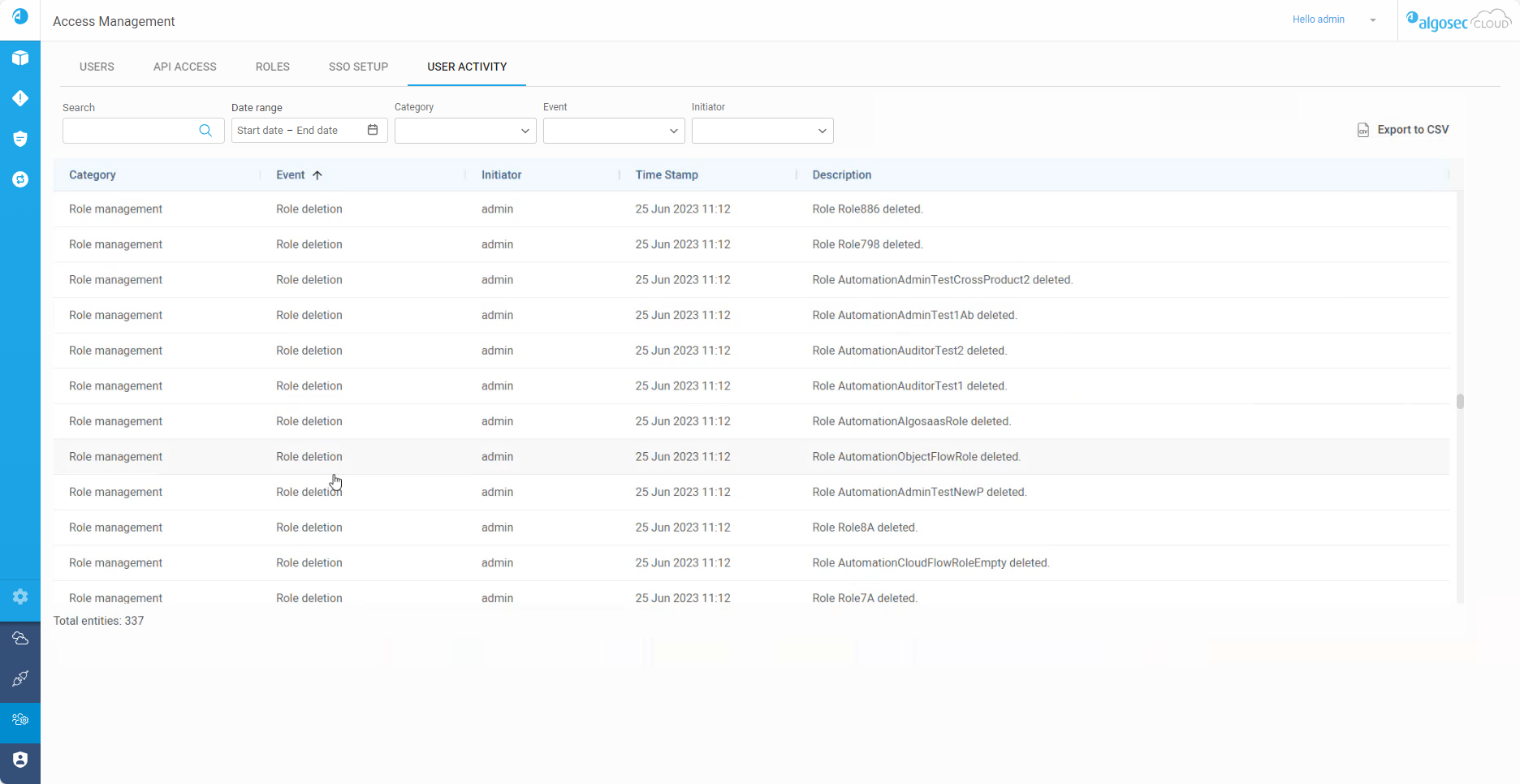
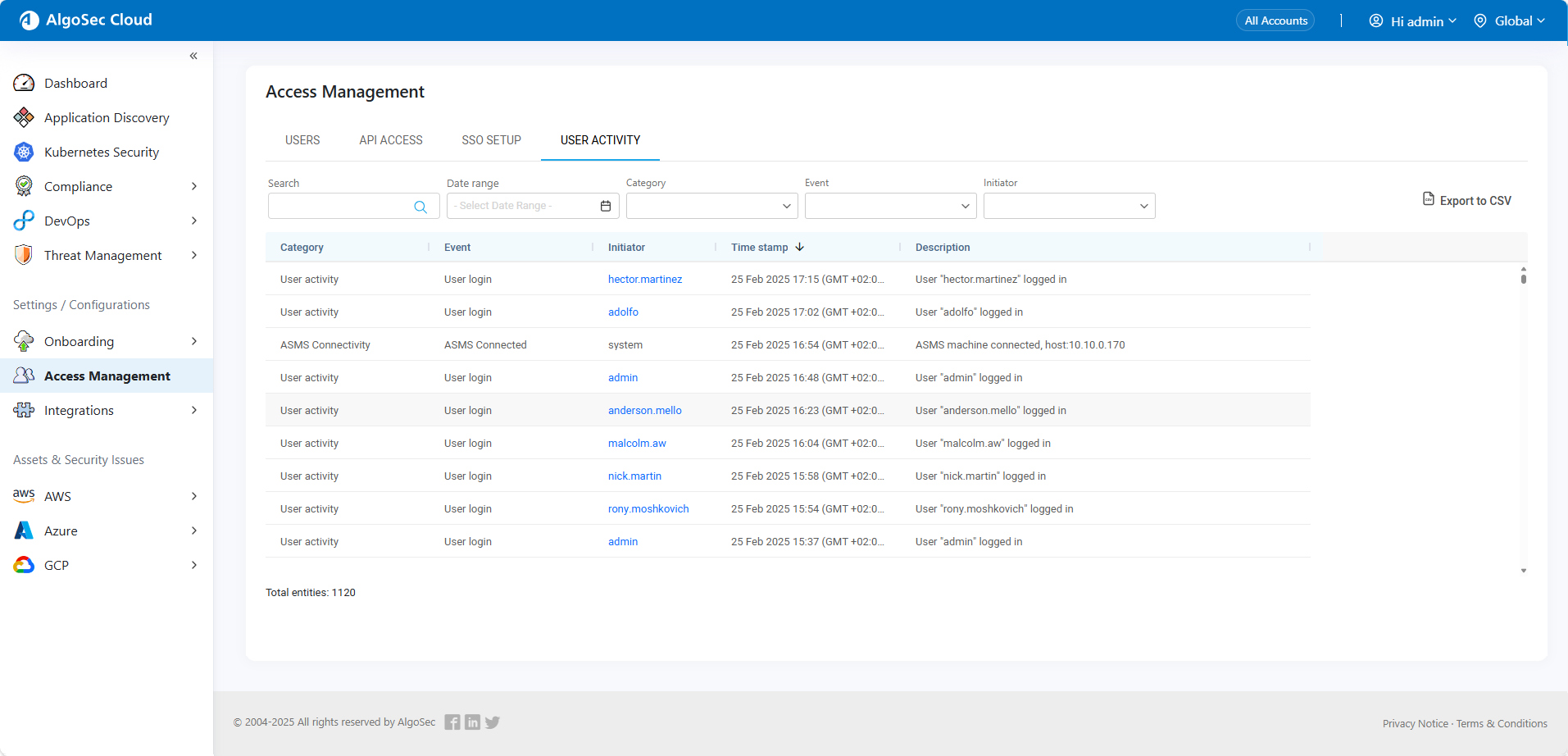
The following is a list of the user activity tracked by ACE:
| Category | Event | Description |
|---|---|---|
| Access management | SSO activation | Single Sign-On (SSO) was enabled. |
| SSO deactivation | Single Sign-On (SSO) was disabled. | |
| API activity | API connection | Access key logged in. |
| API management | API creation | A new access key was created. |
| API deletion | Access key was deleted. | |
| API modification | Access key was renamed or configuration changed. | |
| ASMS connectivity | ASMS Connected | An ASMS instance was connected to a tenant. |
| ASMS Connection Error | Multiple ASMS instances are connected to the same tenant. | |
| ASMS Disconnected | An ASMS instance was disconnected from a tenant. | |
| Onboarding | Add | An account was onboarded to ASMS either manually or via automatic sync*. |
| Remove | An account was removed from ASMS either manually or via automatic sync*. | |
| Update | An onboarded account was updated either manually or via automatic sync*. | |
| Role management | Role creation | A new role was added to the system. |
| Role deletion | A role was removed in the system. | |
| Role modification | An existing role in the system was updated. | |
| User activity | Failed login | Login attempt using an incorrect username or password. |
| User login | User successfully logged in. | |
| User password reset | User password was reset. | |
| User password setup | User logged in for the first time and created a password. | |
| User management | User creation | A new user was added to the system. |
| SSO user creation | A new user was added to the system using an SSO login session. | |
| User deletion | A user was removed from the system. | |
| User modification | User information or role was updated. |
*Onboarding description details:
-
manual: Indicates the onboarding event was manually implemented using the ASMS interface or an API call.
-
automatic sync: Indicates the onboarding event was implemented via automatic sync with the provider account.
The following details are displayed for each recognized activity:
| Column Name | Description |
|---|---|
| Category | The category type of the activity detected. |
| Event | Event name as identified in the system. |
| Initiator | Username or access key name (of the API) that initiated the activity. |
| Time stamp | The date and time (UTC) the action took place. |
| Description | Easy-to-understand description of the event. |
Search and filtering options

Use the search and filters to see a targeted selection of user activities.
| Search | Search activities by any of the fields (except for time stamp). |
| Time range | Display activities occurring within the specified dates. |
| Category | Filter activities by category type. |
| Event | Filter activities by event type. |
| Initiator | Filter activities by the username(s) or access key name(s) that initiated the activity. |
Export user activites
Export a list of user activities to a CSV file for easy sharing and further analysis.
Do the following:
-
(Optional) Customize the list of user activities displayed by using the Search and filtering options as needed.
-
Click
 .
.The Confirm export pop-up window appears.
-
In the Confirm export pop-up, click Yes.
A CSV file of the user activities is saved in the browser's download folder.


 Clear your browser's cache