Define Risks for All Traffic Allowing a Specific Service
You can define risks for all traffic that allows a specific service.
For example: You can define a risk for any rule that allows SFTP traffic.
Do the following:
In the Risk Profile excel file:
-
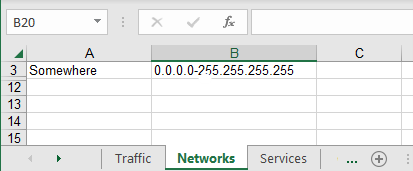
Define a network on the Network tab called ‘Somewhere’
-
Add the contents: 0.0.0.0-255.255.255.255
(Note: You can limit where the risk is triggered by using a narrower network range in the somewhere object definition.)
-
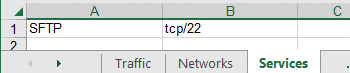
In the Service tab, create a service with the relevant values (for example, SFTP tcp/22).
-
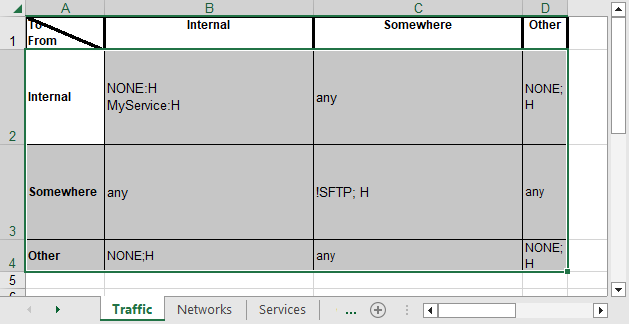
In the Traffic tab, define the traffic for which you want to assess risk using the Somewhere object.


 Clear your browser's cache