Getting Around Cloud Network Security
Upon successful login, ACE Cloud Network Security Overview page Account Summary tab is displayed:
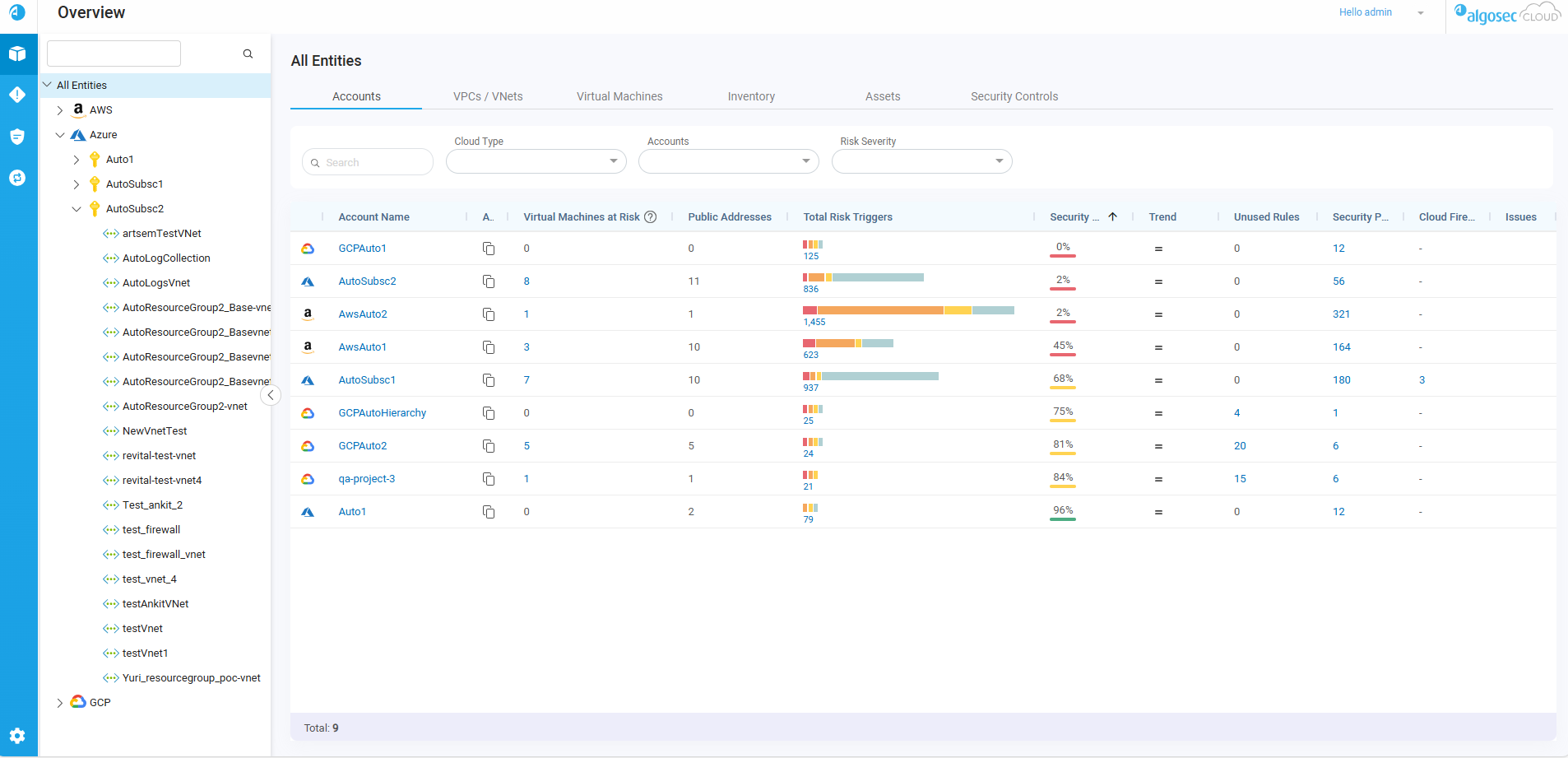
-
Use the left-side navigation menu to access Cloud Network Security pages and their tabs, as well as quick access to relevant Cloud App Analyzer pages (indicated by
 ). See Cloud Network Security left-side navigation menu.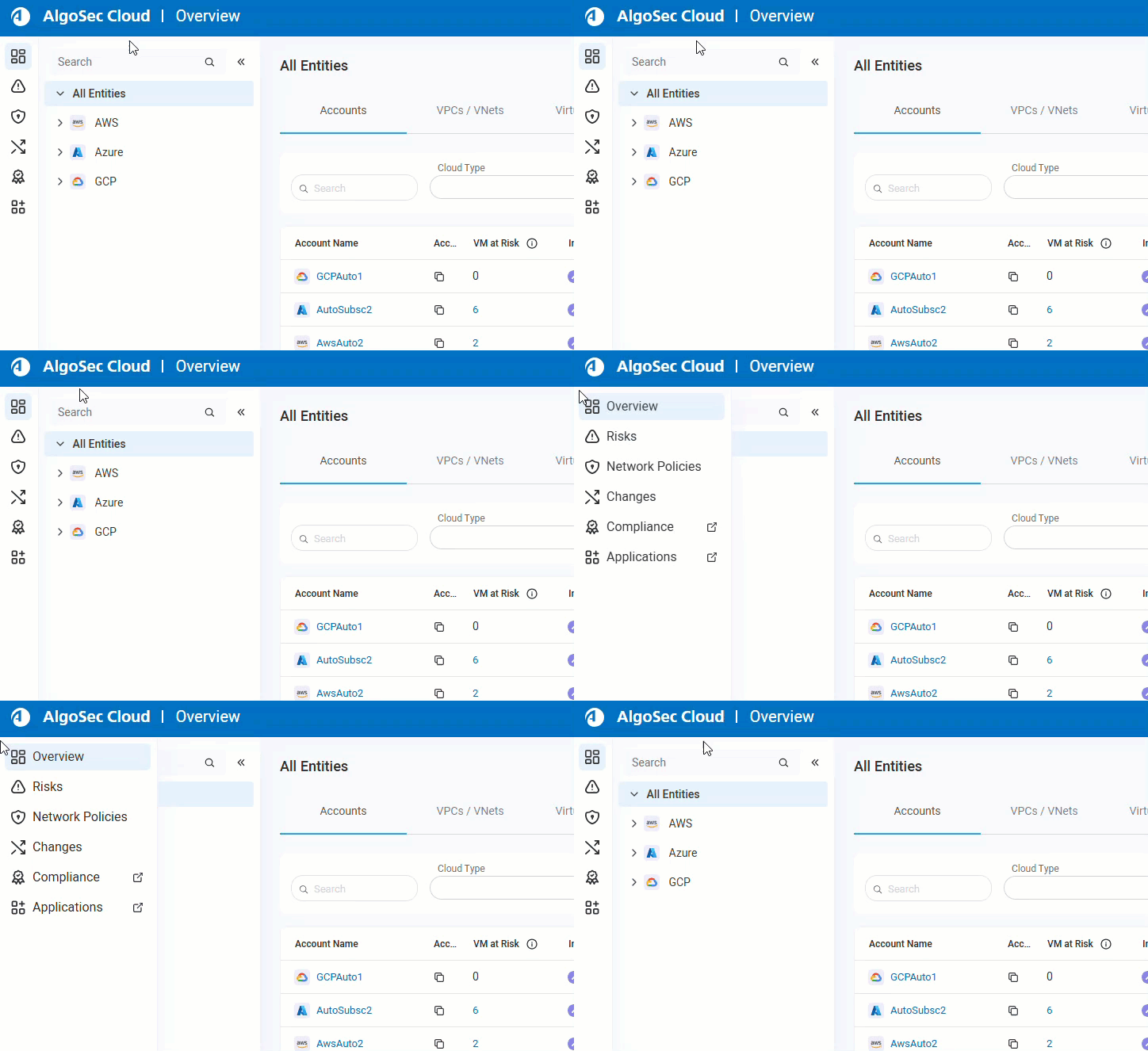
-
To manage accounts, user access and other customizations, access the settings area clicking the
 settings icon at the bottom left of your screen. See Cloud Network Security Settings.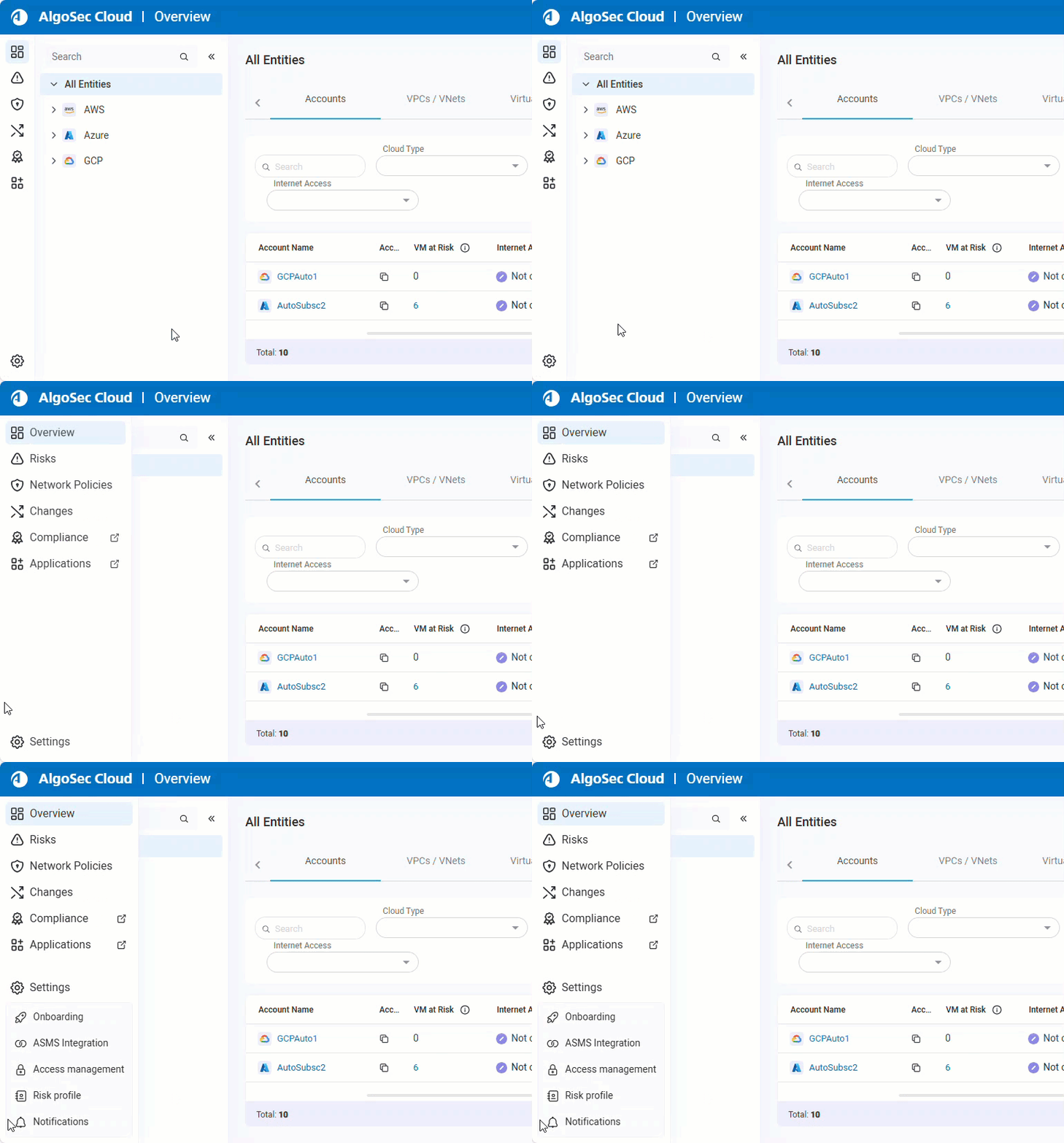
Cloud Network Security left-side navigation menu
|
Page |
Description |
|---|---|
|
Overview |
ACE Cloud Network Security's Overview page is crafted to empower you to take control of your network security in a dynamic cloud environment. It provides an easy-to-use interface offering a comprehensive view of all your accounts. The Overview integrates strategic tools for prioritization and navigation within the intricate realm of account management. For details, see Review Account Status. |
|
Risks |
ACE Cloud Network Security delivers full visibility and management of risks across all onboarded cloud accounts, including AWS, Azure, and Google Cloud. The Risks page allows for the examination, activation, and suppression of risks or specific risk triggers, with options to export risk details, review rules within their policy contexts, and generate risk reports. Additionally, you can manage risk profiles and set which profile Cloud Network Security uses to calculate risks to your onboarded accounts and assets. For details, see Work with Risks and Manage risk profiles. |
|
Network Policies |
With ACE Cloud Network Security, you can manage network policies which encompass all network security rules from the respective security groups. This central management system ensures consistent management and effective control of security measures for your cloud accounts. To make changes to the security rules across your estate, edit the rules in your network policies , or create new sets from scratch to handle security controls. See Manage Network Policies and Clean Up Policies. |
|
Changes History |
ACE Cloud Network Security's Changes page details the rule-based modifications applied to security groups across AWS and Azure accounts. This comprehensive log assists in tracking policy shifts, conducting root cause analyses, and executing audits. For details, see View Changes History. |
| Compliance |
Click to open the ASMS Cloud App Analyzer Compliance page, showing the detected compliance risks across your AWS, Azure, and GCP accounts. For more details, see Cloud Services Risks Management. Note: If not all permissions are granted, only partial analysis is displayed. To learn more about required permissions, see Permissions Required for ASMS. |
| Applications | Click to open the ASMS Cloud App Analyzer Application Discovery page, showing applications, their components, and microservices within your AWS and Azure environments. For more details, see Cloud App Analyzer Application Discovery. |
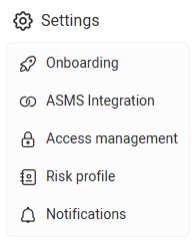
Cloud Network Security Settings
| Section | Description |
|---|---|
| Onboarding |
Describes the process of adding and managing Azure subscriptions, AWS accounts, and Google Cloud projects in Cloud Network Security. For more details on onboarding cloud accounts, see: |
| ASMS Integration |
Outlines how to establish a trust relationship and connect Cloud Network Security with ASMS for integrated security management. For more details, see ACE - ASMS Integration. |
| Access Management |
Details the management of user and API access keys, roles, Single Sign-On (SSO), and monitoring user activity within Cloud Network Security. For more details, see Access Management. |
| Risk Profile |
Explains how Cloud Network Security utilizes the activated risk profile to assess and calculate risks to onboarded accounts and assets. For more details, see Manage risk profiles. |
Additional Cloud Network Security features
|
Page |
Description |
|---|---|
| IaC Connectivity Risk Analysis |
The IaC Connectivity Risk Analysis is a security plugin platform that scans code for vulnerabilities pre-deployment to the cloud, speeding up app delivery through a proactive stance in the CI/CD pipeline. Developers gain insight into risks with direct remediation steps in source control, eliminating the need for manual security reviews or application switching to continue their work. For details, see IaC Connectivity Risk Analysis. |
Username Dropdown menu
In the toolbar, click your Username. The dropdown menu opens for additional options:
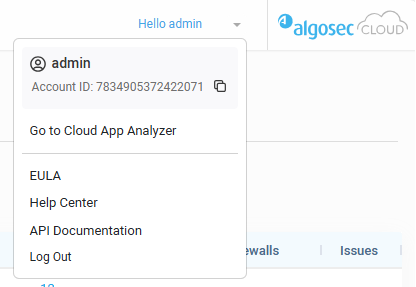
-
Account ID: Shows Tenant ID. Click
 to copy.
 -
Go to Cloud App Analyzer: Click to open Cloud App Analyzer
-
EULA: Link to view the EULA
-
Help Center: Click to open ACE Tech Docs
-
API Documentation: Click to access the ACE API Documentation
-
Log out: Log out of ACE.
â See also:


 Clear your browser's cache