Cloud Services Risks Management
This topic explains how Cloud Services Management is handled in Cloud App Analyzer, providing detailed insights into non-compliance risks within your cloud clusters.
Cloud-related compliance standards
Cloud App Analyzer tests across a number of cloud-related compliance standards.
| Standard | Description |
|---|---|
|
AlgoSec Best Practices |
AlgoSec Best Practices represents an internally established compliance standard tailored for violations, particularly focusing on networking risks. To read more, see Manage Networking Risks in Cloud App Analyzer. |
|
CIS AWS V4.0 |
Provides prescriptive security guidance for AWS accounts, covering areas such as IAM, logging, monitoring, networking, and data protection. Primarily designed to help detect and remediate misconfigurations in AWS cloud services. To read more, visit CIS AWS Foundations Benchmark  . . |
|
PCI DSS v4.0 |
Defines technical and operational requirements to protect cardholder data in cloud environments. Focuses on access controls, encryption, monitoring, and secure system configurations. To read more, visit PCI DSS v4.0 documentation . |
|
HIPAA |
Establishes safeguards for protecting electronic Protected Health Information (ePHI) in cloud systems. Emphasizes access management, audit controls, transmission security, and data integrity. To read more, visit HHS HIPAA Security Rule guidance . |
|
SOC 2 |
Evaluates the design and effectiveness of security, availability, processing integrity, confidentiality, and privacy controls in cloud-hosted environments. To read more, visit AICPA SOC 2 overview . |
| NIS 2 | Aims to strengthen cybersecurity risk management for essential and important entities, including those using cloud services. Focuses on incident reporting, supply chain security, and resilience of network and information systems. To read more, visit EU NIS 2 Directive portal . |
Work with detected Cloud Services risks
Compliance risks, being a key aspect of Cloud App Analyzer, are prominently integrated throughout the product.
To view detected cloud services risks
Do the following:
-
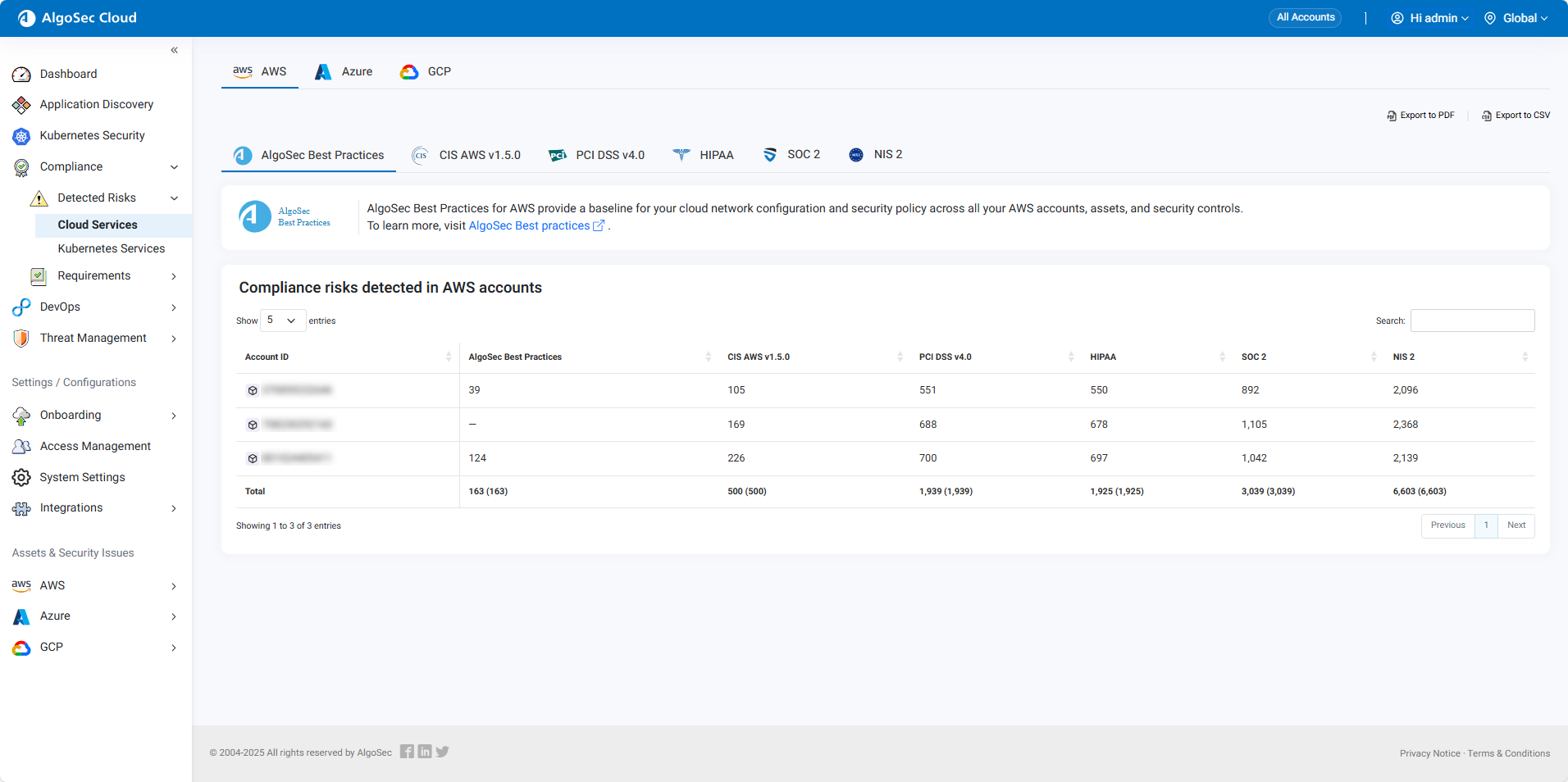
In multi-account view, from the left menu in Cloud App Analyzer, select Compliance > Detected Risks > Cloud Services . For example:
-
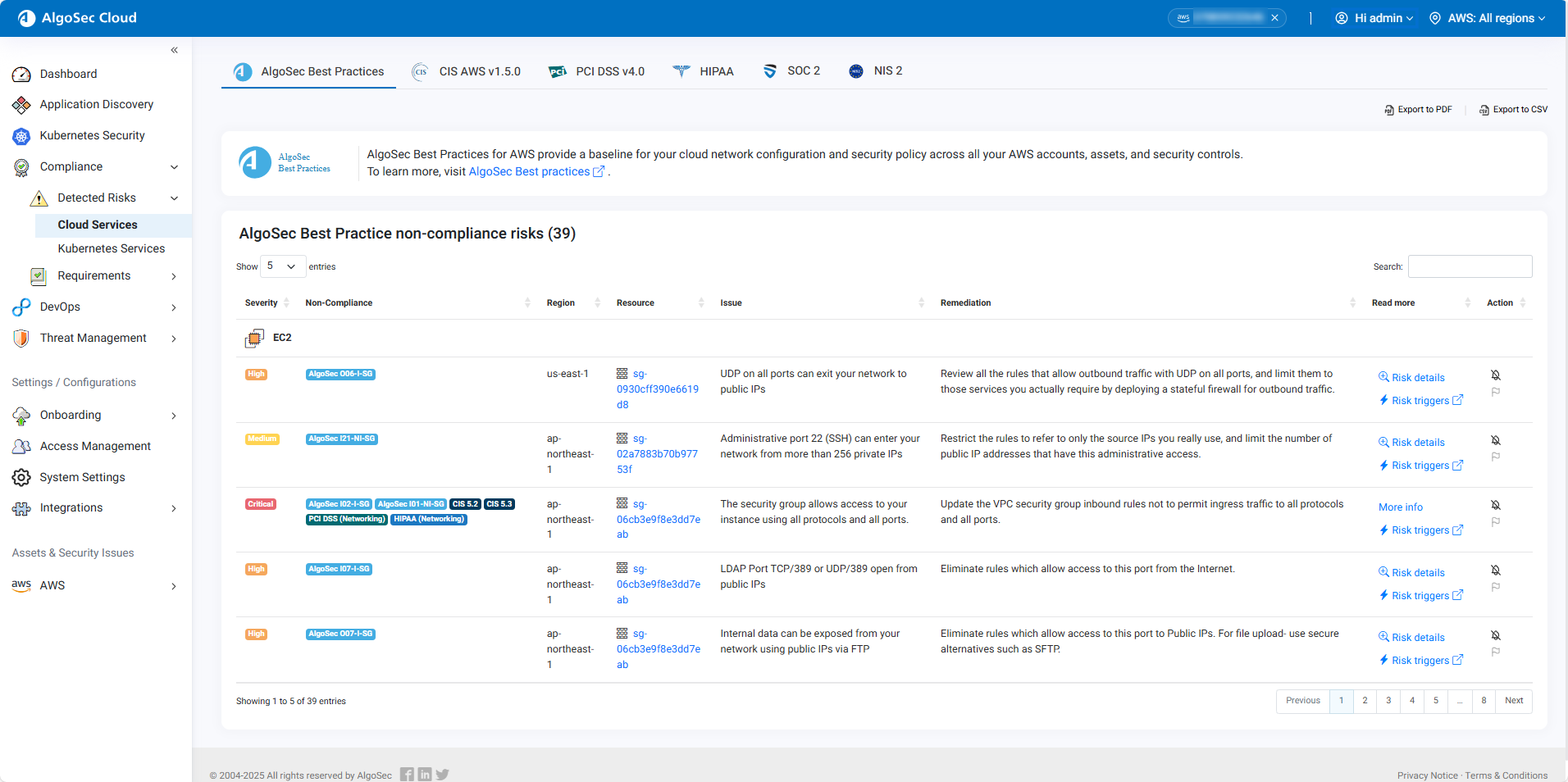
Click an AccountID to open the risks for the selected cloud account. Notice that Cloud App Analyzer is now in Single-account mode.
-
Select the tab of the cloud-related security standard to view detailed risks associated with that standard.
Understanding Non-Compliant Cloud Services Risks:

| Column | Description | |
|---|---|---|
| Severity | Indicates the level of risk associated with the non-compliant issue. | |
| Non-Compliance | References the specific security standards or regulations that are not being met. Click the requirement to see the specific standard description and remediation steps (if available). | |
| Region | Specifies the cloud geographic region where the non-compliance issue is located. | |
| Resource | Identifies the specific resource that is non-compliant. Click the resource to open its page in the Assets & Security Issues section. | |
| Issue | Describes the misconfiguration, vulnerability or exposed secret issue. | |
| Remediation | Suggests actions to be taken to address the issue. | |
| Read more |
A link that provides additional information about the non-compliance issue.
|
|
| Action |
Contains actionable buttons or links:
|
. |
 Suppress (mute) the alert. See
  Export the issue as a Jira ticket. See
 Drill down into a container resource's risks
Do the following:
-
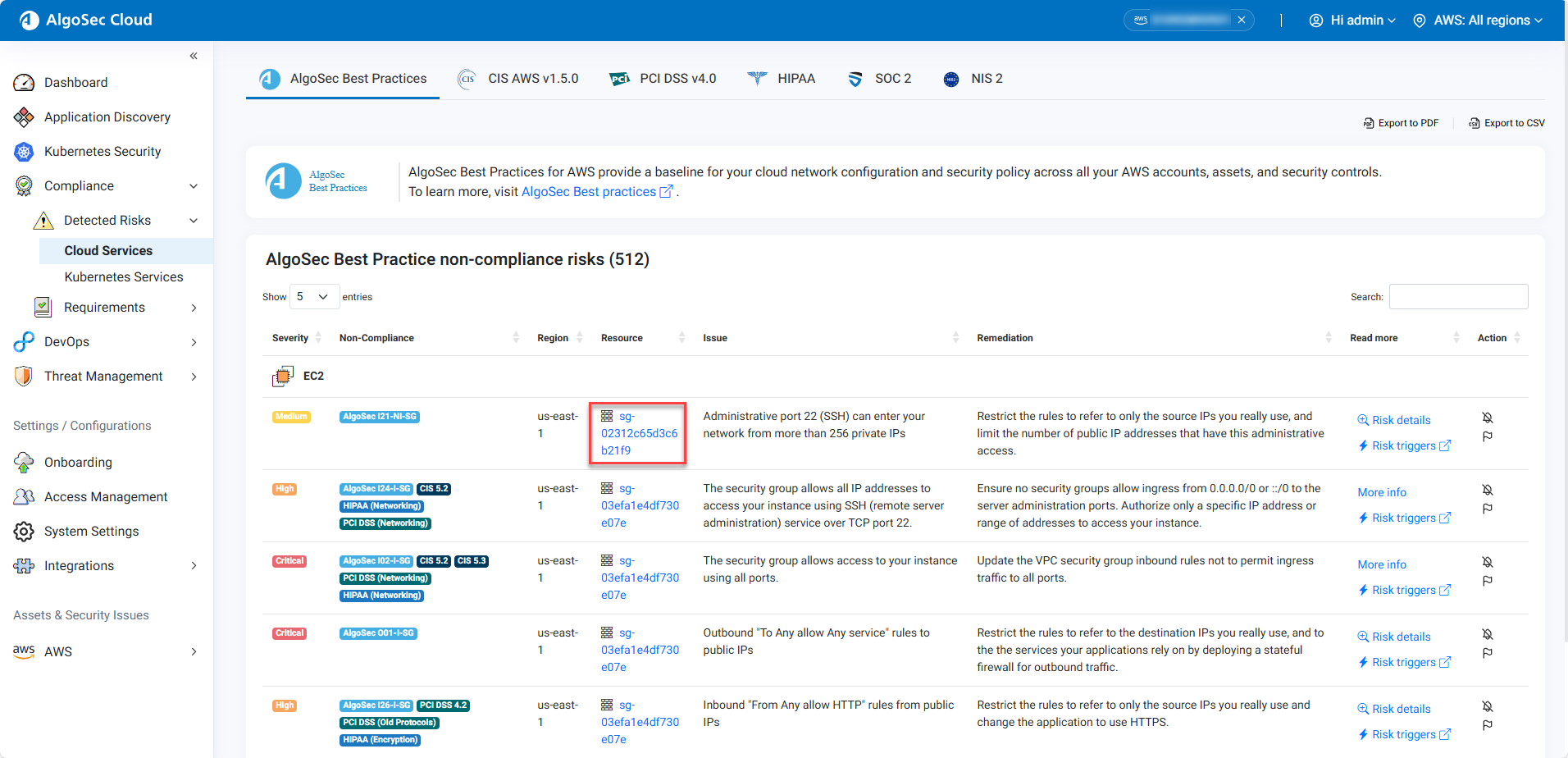
In the single account view, in the left hand menu, click Compliance > Detected Risks > Cloud Services. The Cloud Services Detected Risks page opens.
-
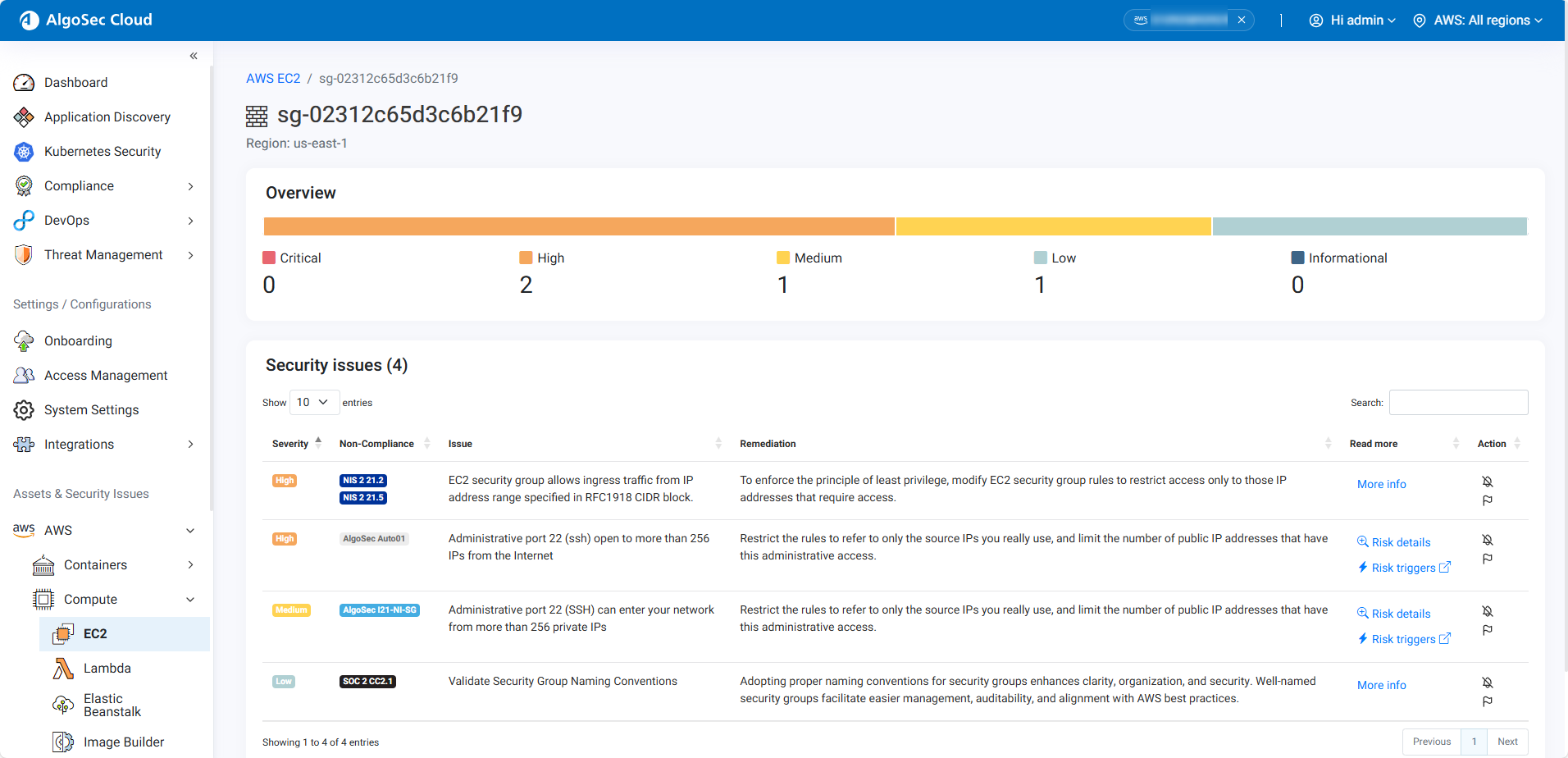
Click the resource that you want to investigate further. The page for the selected resource opens
-
Review the resource Overview and Security Issues.
-
Take necessary action based on the detailed information provided to address the identified risk.
View More info
Clicking the More Info button will take you to the cloud provider website that provides more information about the risk and how to mitigate it.


 Clear your browser's cache