Collect Data Events with CloudTrail
To enhance the efficiency of application discovery on AWS, ACE uses data events collected by AWS CloudTrail.
Once you finish onboarding your AWS accounts, you can configuration collection data events with CloudTrail. ACE Cloud App Analyzer will guide you through the steps to configure collection of the data events for your environment.
Do the following:
-
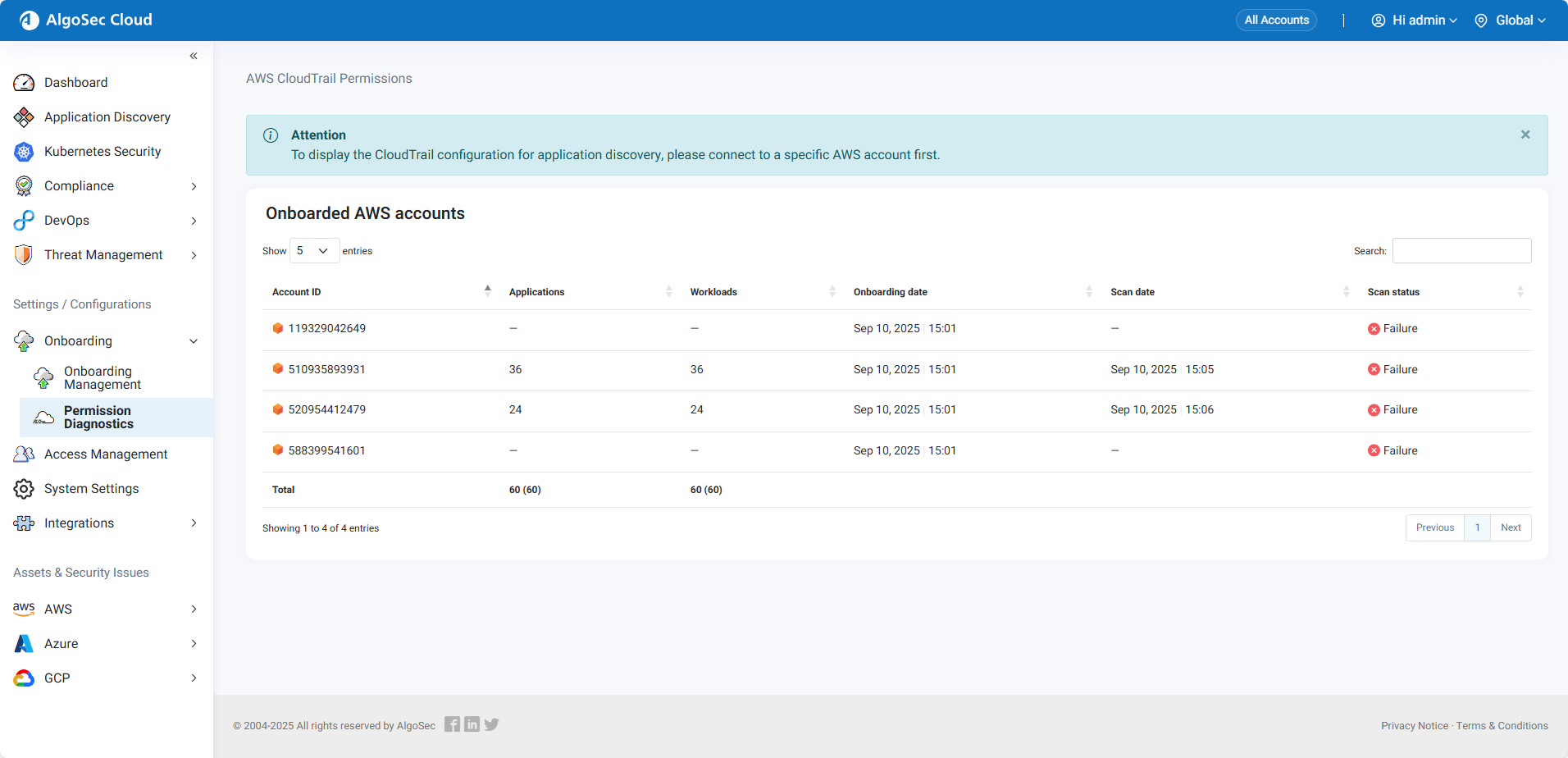
In Cloud App Analyzer, in the Settings/Configurations section of the left side menu, go to Onboarding > Permissions Diagnostics > CloudTrail tab.
The CloudTrail page opens.
-
Connect to a specific AWS account.
The AWS CloudTrail Permissions for the account appears.
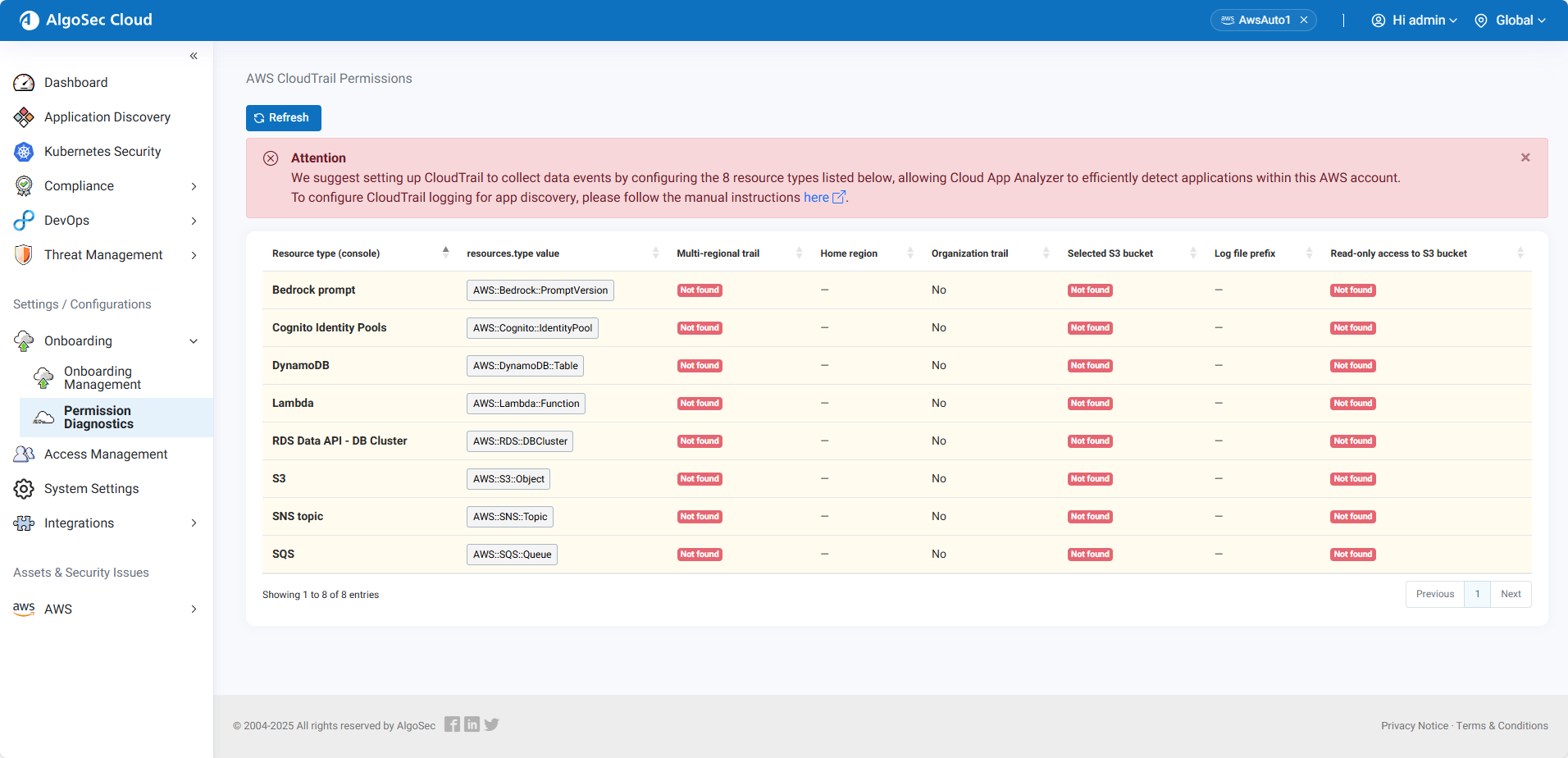
The Permissions Diagnostics page shows the enablement status for each resource and trail type:
-
 Enabled — CloudTrail is configured properly for the resource..
 -
 Not Found — CloudTrail is not configured properly for the resource.
Tip: Click Refresh to update the Diagnostics table in real time.
-
-
Review the Attention Box
At the top of the Permissions Diagnostics page, review the Attention box.
If your CloudTrail configuration is incomplete or requires updates, a notification will appear with a link to the manual setup instructions tailored to your environment.
-
Click the link in the Attention box to open the step-by-step instructions to set up .
-
Click the link in the Attention box to open the step-by-step instructions for each resource and trail type.
-
Follow the instructions to complete the CloudTrail setup.
While you setup, your configuration status is displayed in the table.
Click Refresh to update the table in real time.
-


 Clear your browser's cache