Object Naming Conventions
This topic explains how to define object naming conventions.
When object naming conventions are defined, new objects must be named according to at least one naming convention to be created (see, Create, edit and delete objects).
You can set as a many naming conventions as you need to, based on the following two formats:
-
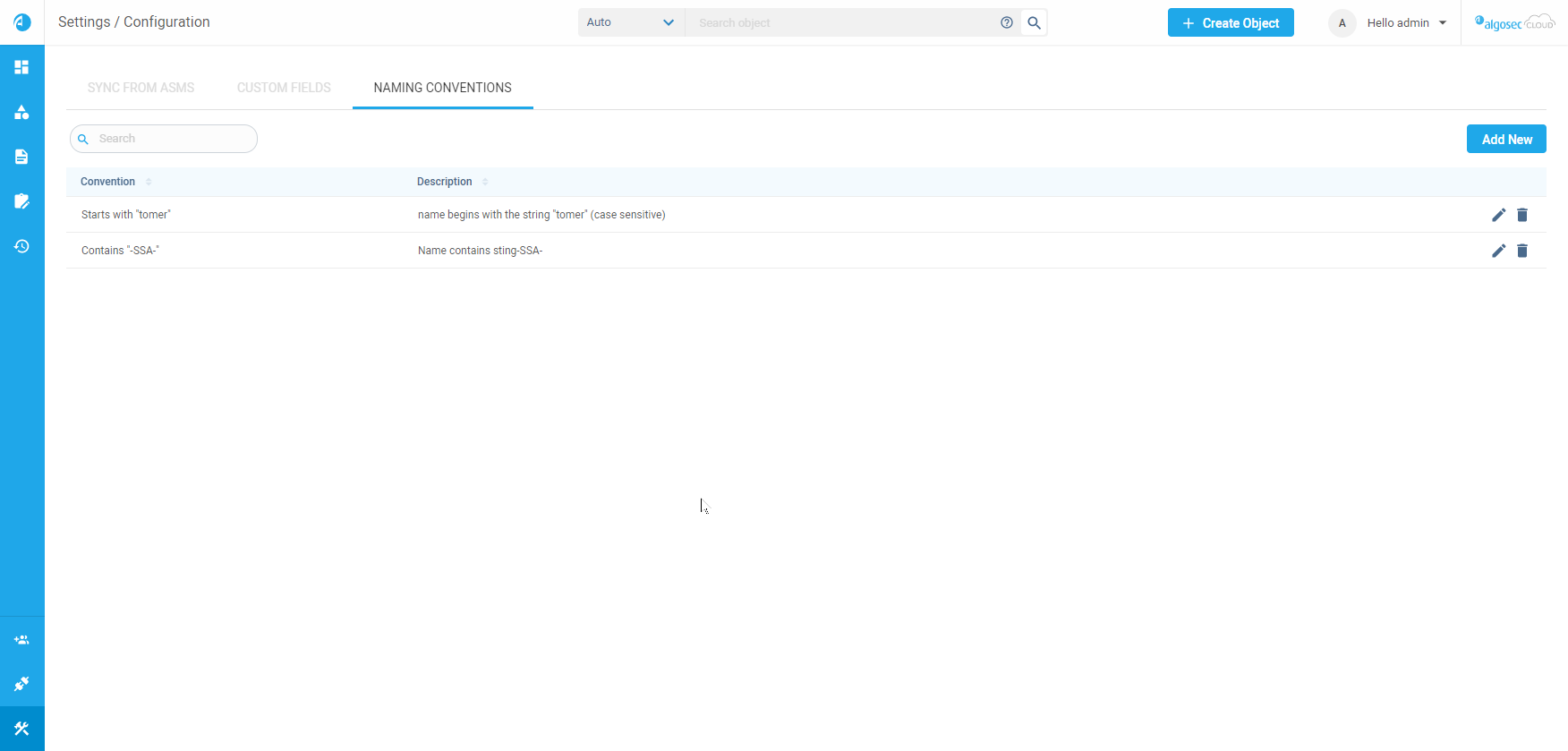
Starting with... (for example, if the rule is Starting with apple, an allowable name would be apple-BBS-132).
-
Containing... (for example, if the rule is Containing apple, an allowable name would be Sam_apple-BBS-132).
Access naming conventions
To access the Naming Conventions tab where you can create, edit and delete naming conventions:
-
Hover over the Settings icon
 at the lower left of your screen.
Settings options are displayed.
-
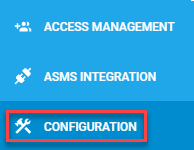
Click CONFIGURATION.
-
On the Settings/Configuration page, select the Naming Conventions tab.
Add, edit or delete naming conventions
Do the following:
-
To add a new naming convention:
-
In the Naming Convention tab, click
 .
.The New Object Naming Convention dialog appears.
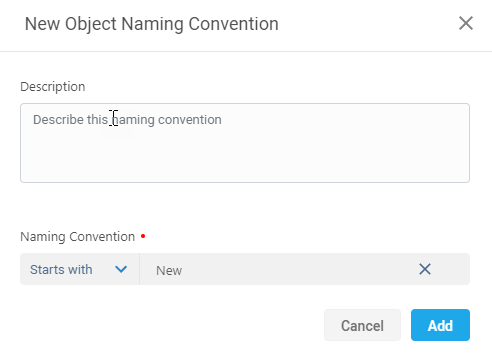
- Complete the fields according to the Naming Convention Fields table.
- Click Add.
-
- To edit a naming convention:
- Click
 . The Edit Object Naming Convention dialog appears.
 - Edit the field according to the Naming Convention Fields table.
Click Save.
- Click
- To delete a naming convention:
Click
 at the right of the naming convention's row.
A confirmation message is displayed.- Click Confirm.
Naming Convention Fields
|
In this field... |
Do this... |
|---|---|
|
Description |
Describe the naming convention |
|
Naming Convention |
From the drop-down list, select one of the following convention types:
Note: To be created, objects’ names must follow at least one naming convention. |


 Clear your browser's cache