This topic describes ObjectFlow's Activity Logs, which displays a log of all actions that affect the selected object.
To view Activity Logs
There are two ways to view Activity Logs:
-
In ObjectFlow, from the main menu on the left, click ACTIVITY LOGS. The Activity Logs page opens showing all objects with Activity Logs information.
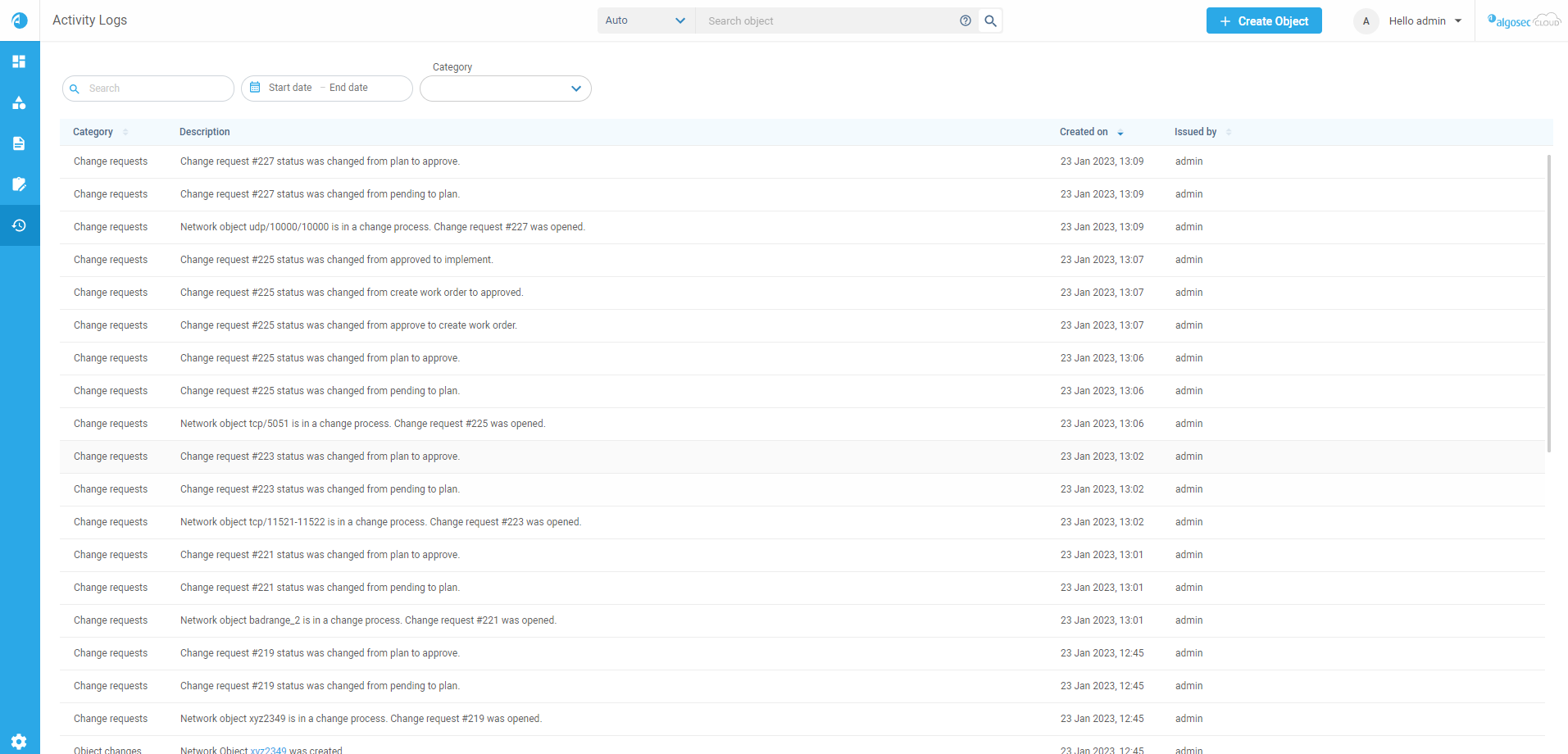
Click an object in the list to see its activity log details. You can select directly from the Objects Found list or by using filters.
-
In ObjectFlow, from the main menu on the left, click OBJECTS and select the object type. The Objects page opens listing found objects.
Select an object. You can select directly from the Objects Found list or by using the Object Search bar (see Search objects). The Object Details pane appears in the workspace.
Click the Activities Logs tab.
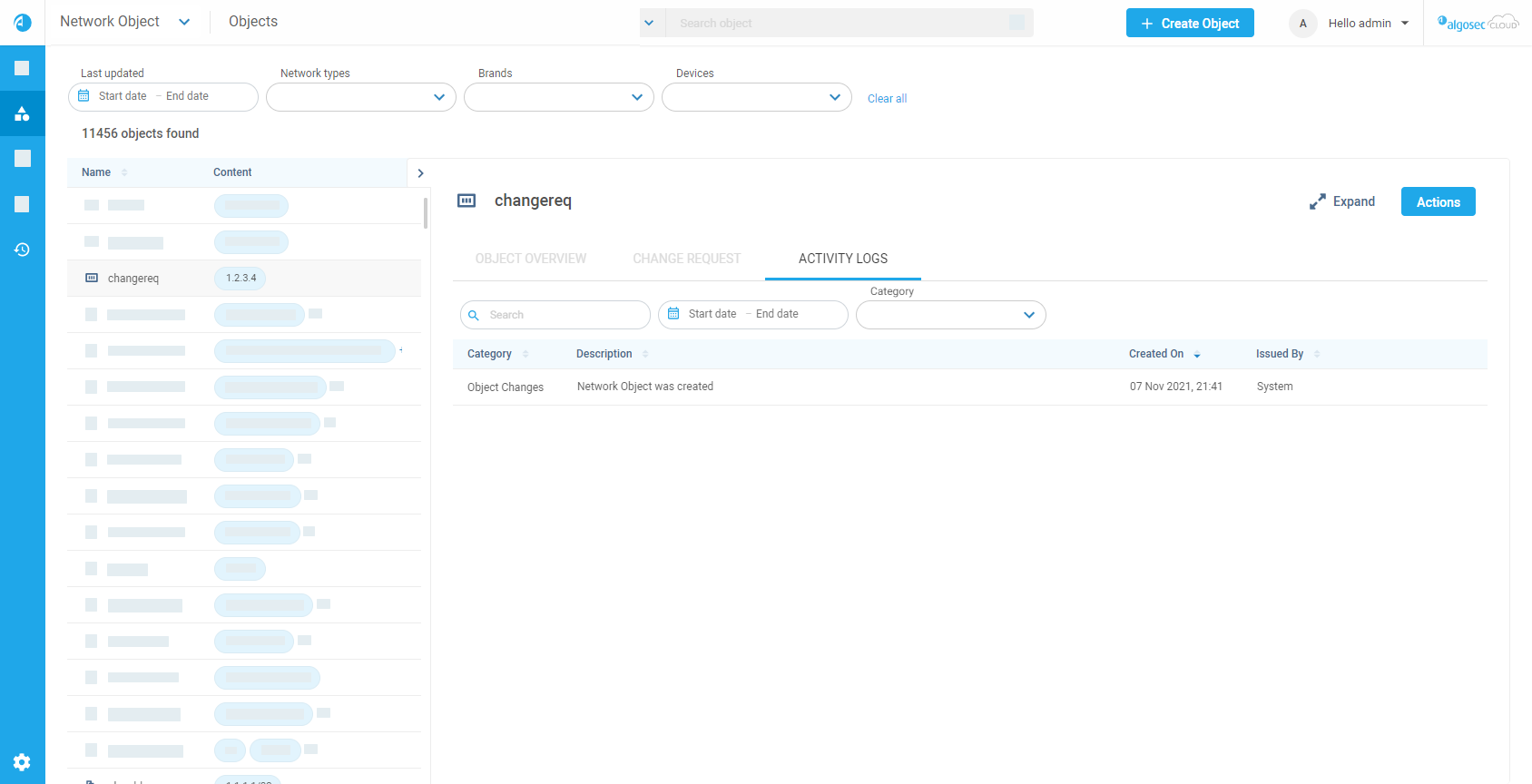
The Activity Log tab includes the follows information:
|
Category |
Shows the activity category.
Select or deselect Category filters to filter the list. |
|
Description |
Description of the activity. |
|
Created On |
Date the activity occurred. |
|
Issued By |
Name of user who performed the activity. |


 Clear your browser's cache